For Mac · Early access
The tools developers have for their code, made for writers.
Fullpoint is a writing and copy-editing app for professional writers and editors. See exactly what changed and who changed it, keep every version without making copies, and work with an AI editor that suggests and never overwrites.
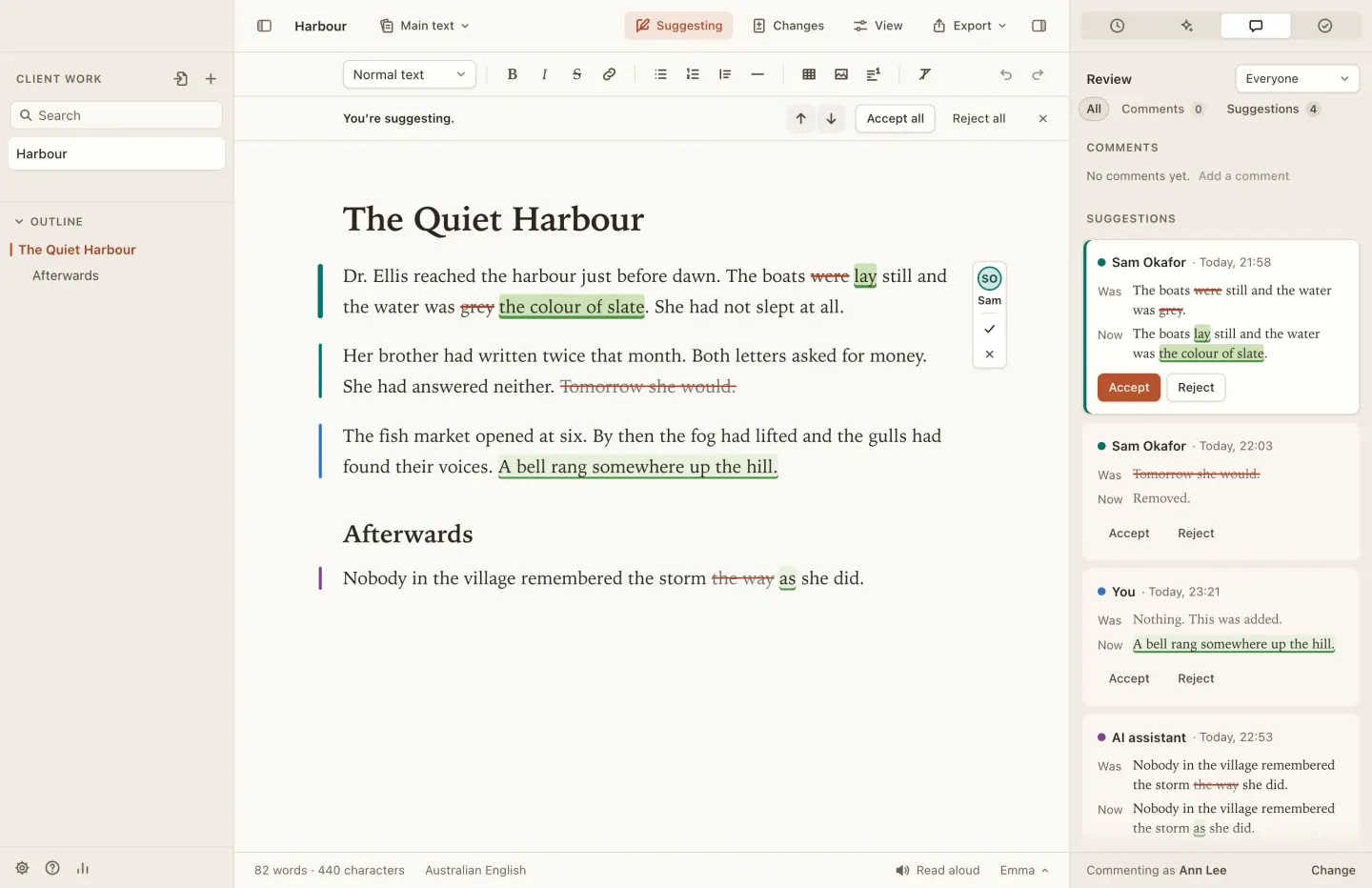
See every change.
Turn on Show changes and every edit is marked in the text you’re writing:
added words in green, removed words struck through in red. The same marks are
used everywhere, for everyone.
Who made a change is shown in the margin, never on the words: a coloured bar beside the paragraph. Hover over or click a change to see the name and the time, and put the old wording back if you prefer it.
- You
- The AI assistant
- Each reviewer, in their own colour
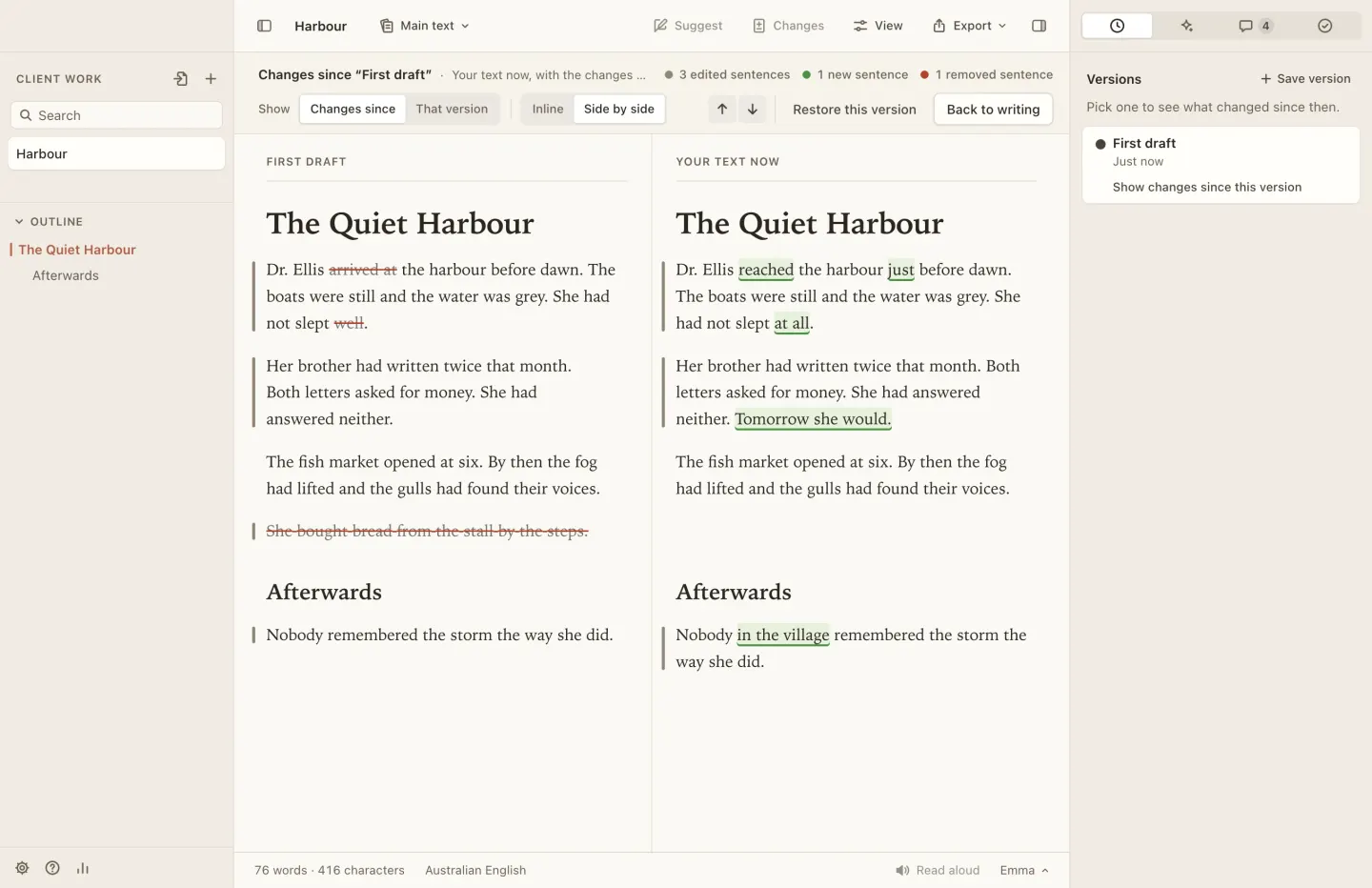
Versions and drafts, without the copies.
No more Final_v3_really-final.docx. Fullpoint saves a version whenever you pause, switch documents or close the app, and you can name one yourself at any moment. Pick any version to see what’s changed since, or restore it; nothing is ever lost.
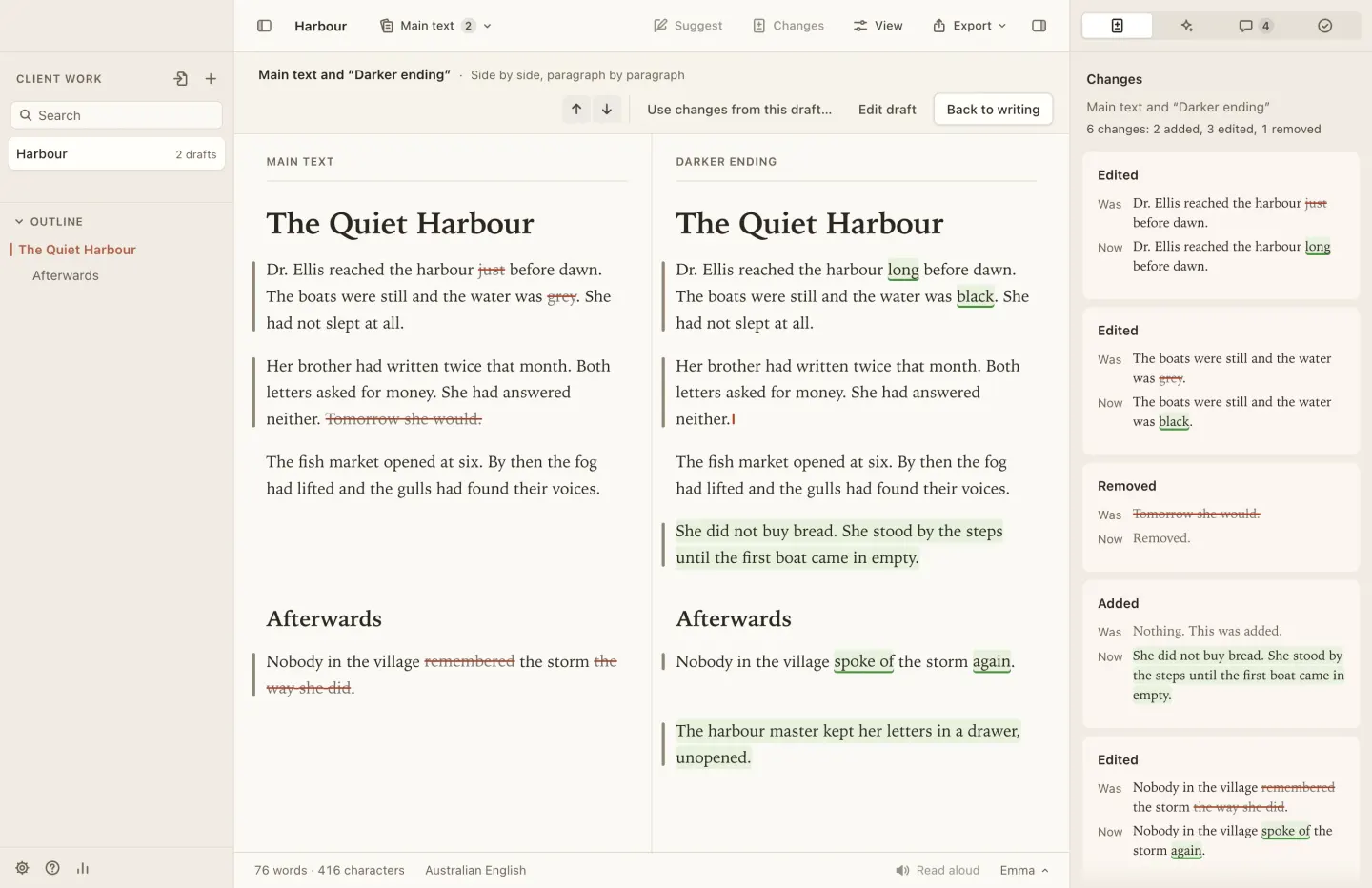
Want to try a darker ending, or a shorter cut for a client? Start a draft. It lives with the document, compares with the main text paragraph by paragraph, and you bring across only the changes you want.
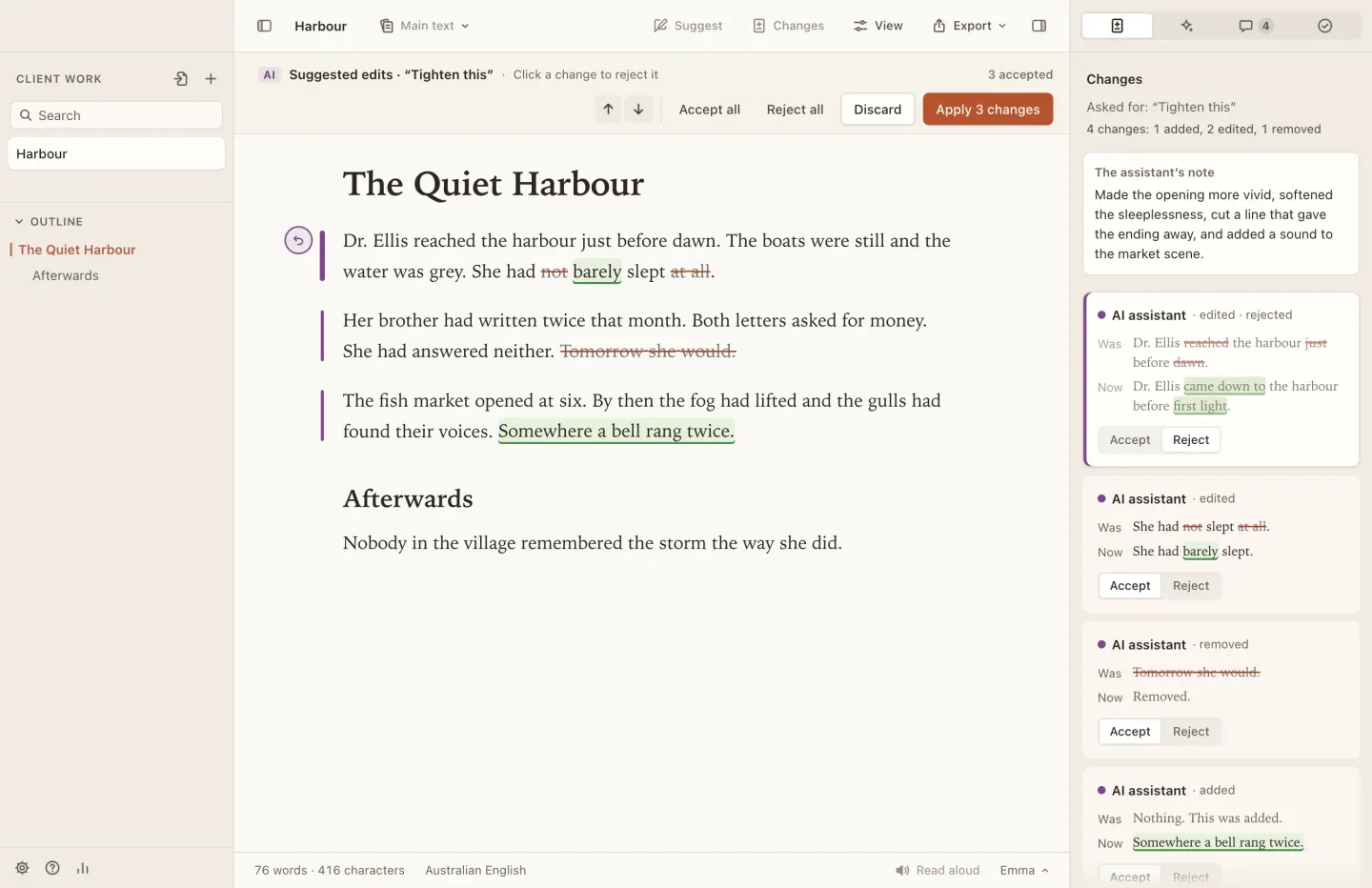
An AI editor that suggests, and never overwrites.
Select a passage and ask for what you want: tighten it, fix the grammar, make it warmer. The assistant’s answer arrives as suggested edits in your text, with a short note on what it changed and why.
You go through them change by change, accepting or rejecting each one. Nothing touches your text until you apply it, your own version is saved first, and the edit is recorded in the history as the AI’s, so you can always tell your words from its.
Copy-editing checks and house style.
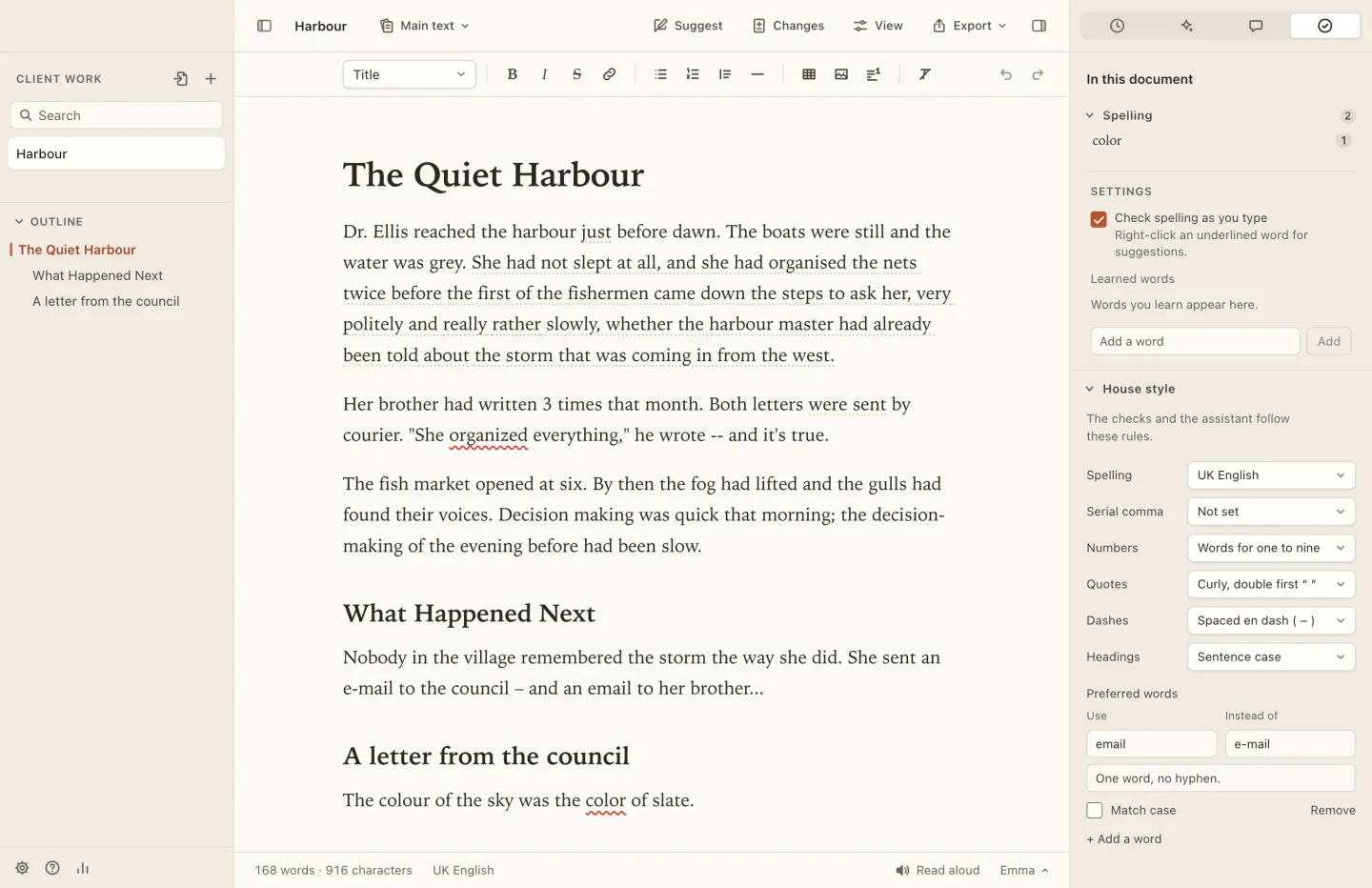
Set the house style once: British, American, Australian or Canadian spelling, the serial comma, numbers, quotes, dashes, heading case and preferred words. Fullpoint checks every document against it, and the assistant follows it too.
The Checks panel finds mixed spellings, inconsistent hyphens and quote marks, very long sentences, the passive voice and repeated words. Go through them one by one, or fix a whole kind at once.
Your writing is yours.
Your documents are ordinary files, with every version, draft and comment kept beside them, so nothing is locked inside Fullpoint. Your words go to the assistant only when you ask it for help: then the text you’re working on is sent to Anthropic, the company that makes Claude.
-
Every version kept
Fullpoint saves a version as you work, so a bad edit or a deleted page is never the end of it.
-
Backup and sync are coming
A Fullpoint account will back up your work and keep it in step across your Macs.
-
Your own Claude key
The assistant uses your Anthropic key, kept encrypted in your Mac’s keychain. Anthropic bills you directly.
Try Fullpoint.
Free during early access. You use your own Claude key, and Anthropic bills you directly for what the assistant uses.